R trên Jupyter Notebook (Ubuntu 14.04 / 14.10 / 16.04)
Note: This post is over 10 years old. The information may be outdated.
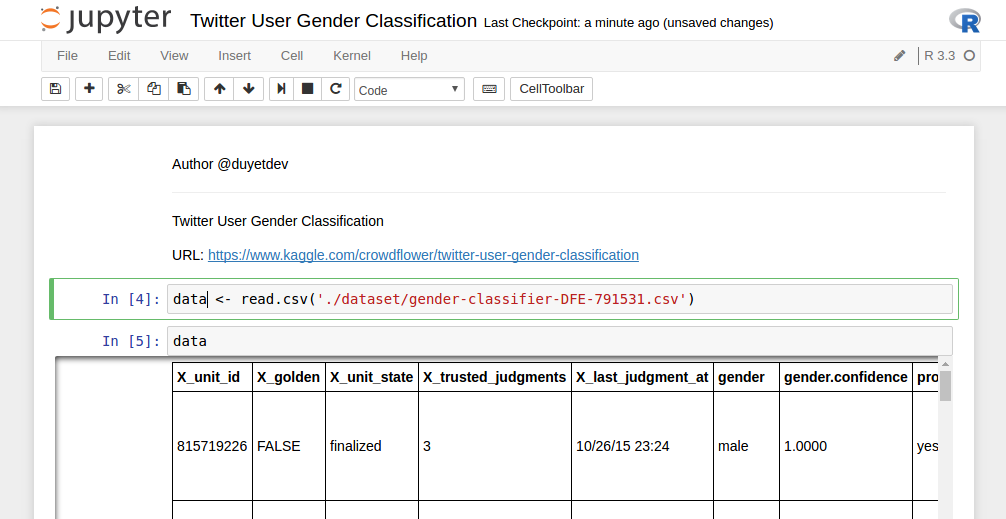
Jupyter Notebook là công cụ khá mạnh của lập trình viên Python và Data Science. Nếu dùng R, Jupyter cũng cho phép ta tích hợp R kernel vào Notebook một cách dễ dàng.
Cài đặt
- Cài Jupyter Notebook và R
# Install Jupyter Notebook
pip install jupyter

# Install R
sudo apt-key adv --keyserver keyserver.ubuntu.com --recv-keys E298A3A825C0D65DFD57CBB651716619E084DAB9
sudo add-apt-repository 'deb [arch=amd64,i386] https://cran.rstudio.com/bin/linux/ubuntu xenial/'
sudo apt-get update
sudo apt-get install r-base
- Cài đặt R kernel, mở R command line
root@duyet:~# R

R version 3.2.3 (2015-12-10) -- "Wooden Christmas-Tree"
Copyright (C) 2015 The R Foundation for Statistical Computing
Platform: x86_64-pc-linux-gnu (64-bit)

> install.packages(c('repr', 'IRdisplay', 'crayon', 'pbdZMQ', 'devtools'))
> devtools::install_github('IRkernel/IRkernel')
> IRkernel::installspec()  # to register the kernel in the current R installation
- Khởi động Jupyter Notebook
jupyter notebook
- Tạo Notebook mới và chọn R Kernel

Tham khảo
Ngoài ra, Jupyter còn hỗ trợ rất nhiều Kernel khác do cộng đồng phát triển, xem tại đây: https://github.com/ipython/ipython/wiki/IPython-kernels-for-other-languages
IRkernel: https://github.com/IRkernel/IRkernel
Related Posts
Scheduling Python script in Airflow
To schedule a Python script or Python function in Airflow, we use `PythonOperator`. For Airflow 2.0+, consider using the TaskFlow API for a more modern approach.
Airflow - "context" dictionary
Biến `context` trong airflow là biến hay sử dụng trong Airflow (`PythonOperator` with a callable function), nhưng mình rất hay quên, note lại đây để dễ dàng tra cứu.
vnTokenizer trên PySpark
Trong blog này mình sẽ custom lại vn.vitk để có thể chạy như một thư viện lập trình, sử dụng ngôn ngữ python (trên PySpark và Jupyter Notebook).
Spark: Convert Text (CSV) to Parquet để tối ưu hóa Spark SQL và HDFS
Lưu trữ dữ liệu dưới dạng Columnar như Apache Parquet góp phần tăng hiệu năng truy xuất trên Spark lên rất nhiều lần. Bởi vì nó có thể tính toán và chỉ lấy ra 1 phần dữ liệu cần thiết (như 1 vài cột trên CSV), mà không cần phải đụng tới các phần khác của data row. Ngoài ra Parquet còn hỗ trợ flexible compression do đó tiết kiệm được rất nhiều không gian HDFS.