Cài Apache Spark standalone bản pre-built
Note: This post is over 9 years old. The information may be outdated.
Mình nhận được nhiều phản hồi từ bài viết BigData - Cài đặt Apache Spark trên Ubuntu 14.04 rằng sao cài khó và phức tạp thế. Thực ra bài viết đó mình hướng dẫn cách build và install từ source.
Thực tế, Spark còn hỗ trợ cho ta nhiều phiên bản pre-built cùng với Hadoop. Pre-build tức Spark đã được build sẵn và chỉ cần sử dụng thôi. Cách làm như sau.
Note (2025): This tutorial uses outdated versions (Java 7, older Spark versions). For current installations, use Java 11+ and the latest Spark version from the official website. The general installation steps remain similar.
1. Cài đặt Java
Nếu chưa cài thì bạn cài theo cách sau:
$ sudo apt-add-repository ppa:webupd8team/java
$ sudo apt-get update
$ sudo apt-get install oracle-java7-installer
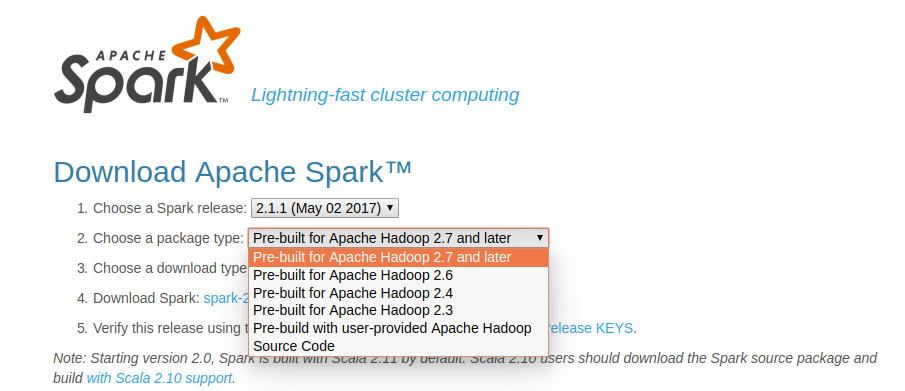
2. Tải Apache Spark bản pre-built
Chọn phiên bản thích hợp và tải Apache Spark từ Website: https://spark.apache.org/downloads.html Nhớ chọn dòng "Pre-built for Apache Hadoop ...."

3. Sử dụng
Giải nén và mở terminal tại thư mục spark, và sử dụng thôi.
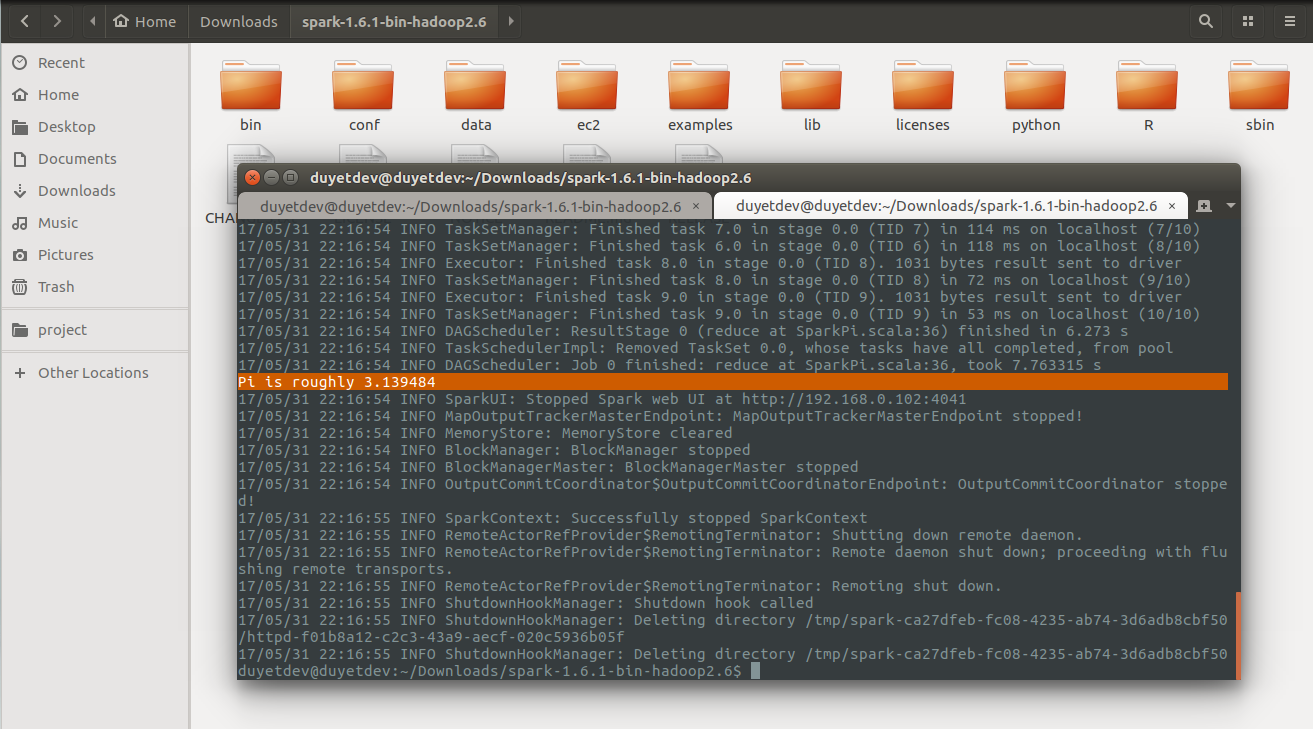
Test thuật toán tính số PI.
$ ./bin/run-example SparkPi 10
...
Pi is roughly 3.139484
Nếu bạn nào dùng PySpark có thể mở thử PySpark Shell để kiểm tra bài toán WordCount:
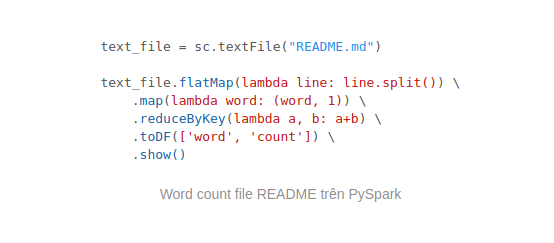
Mở PySpark Shell bằng lệnh:
$ ./bin/pyspark
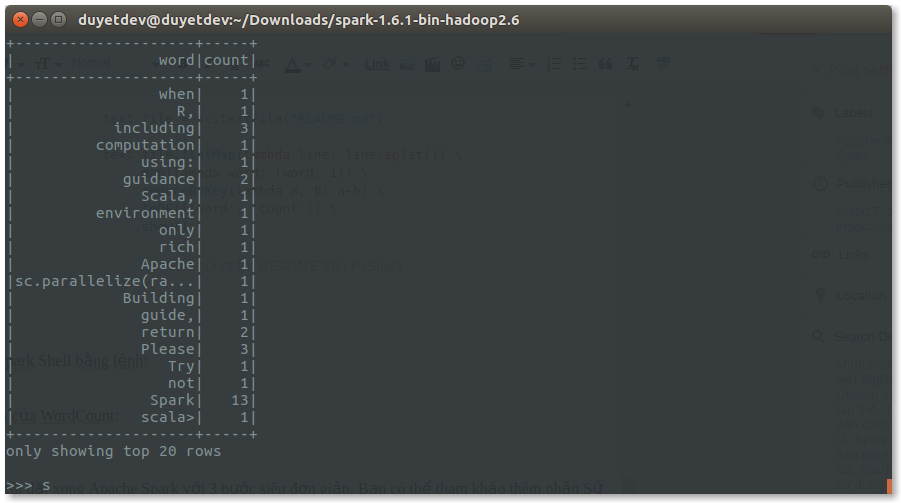
Kết quả của WordCount:
Bạn đã cài đặt xong Apache Spark với 3 bước siêu đơn giản. Bạn có thể tham khảo thêm phần Sử dụng spark-submit ở bài viết cũ trước đây: BigData - Cài đặt Apache Spark trên Ubuntu 14.04
Chúc bạn thành công.
Related Posts
PySpark - Thiếu thư viện Python trên Worker
Apache Spark chạy trên Cluster, với Java thì đơn giản. Với Python thì package python phải được cài trên từng Node của Worker. Nếu không bạn sẽ gặp phải lỗi thiếu thư viện.
Chạy Apache Spark với Jupyter Notebook
IPython Notebook là một công cụ tiện lợi cho Python. Ta có thể Debug chương trình PySpark Line-by-line trên IPython Notebook một cách dễ dàng, tiết kiệm được nhiều thời gian.
PySpark Getting Started
Hadoop is the standard tool for distributed computing across really large data sets and is the reason why you see "Big Data" on advertisements as you walk through the airport. It has become an operating system for Big Data, providing a rich ecosystem of tools and techniques that allow you to use a large cluster of relatively cheap commodity hardware to do computing at supercomputer scale. Two ideas from Google in 2003 and 2004 made Hadoop possible: a framework for distributed storage (The Google File System), which is implemented as HDFS in Hadoop, and a framework for distributed computing (MapReduce).
Cài đặt Apache Spark trên Ubuntu 14.04
Trong lúc tìm hiểu vài thứ về BigData cho một số dự án, mình quyết định chọn Apache Spark thay cho Hadoop. Theo như giới thiệu từ trang chủ của Apache Spark, thì tốc độ của nó cao hơn 100x so với Hadoop MapReduce khi chạy trên bộ nhớ, và nhanh hơn 10x lần khi chạy trên đĩa, tương thích hầu hết các CSDL phân tán (HDFS, HBase, Cassandra, ...). Ta có thể sử dụng Java, Scala hoặc Python để triển khai các thuật toán trên Spark.