Good reasons to use ClickHouse
Note: This post is over 5 years old. The information may be outdated.
More than 200+ companies are using ClickHouse today. With many features support, it's equally powerful for both Analytics and Big Data service backend.
What is ClickHouse?
According the website, ClickHouse is an open-source column-oriented DBMS for online analytical processing. ClickHouse was developed by Yandex for their Yandex.Metrica web analytics service.
For short, ClickHouse DBMS is:
- Column Store
- MPP
- Realtime
- SQL
- Open Source
What makes ClickHouse different
ClickHouse is a column-store database, optimized for fast queries. It's fast because:

- Using column-oriented storage: avoid reading unnecessary columns (reduced disk IO, compression for each column, etc). Most of the queries for analytics only use some of columns for the queries.
- Spares indexes: keeps data structures in memory, not only used columns but only necessary row ranges of those columns
- Data compression. Storing different values of the same column together often leads to better compression ratios (specialized codecs).
- Algorithmic optimizations: MergeTree, locality of data on disk, etc.
- Low-level optimizations: What really makes ClickHouse stand out is attention to low-level details. e.g. vectorized query execution
- Specialization and attention to detail: for example, they have 30+ different algorithms for
GROUP BY. Best one is selected for your query.
ClickHouse works 100-1000x faster than traditional approaches
Good reasons to use ClickHouse
1. Fast and Scalability
ClickHouse is blazing fast, linearly scalable, hardware efficient, highly reliable, and fun to operate in production. There were many performance benchmarks and real-life use cases.
Performance comparison of analytical DBMS:

Thanks to vectorized execution and parallel processing, it's also used for all CPU cores in a single machine. Able to scales horizontally and linearly scaling as well.
2. Integration
Connect to any other JDBC database and uses their tables as ClickHouse table.
SELECT *
FROM jdbc('mysql://localhost:3306/?user=root', 'schema', 'table');
Even it can connect to another ClickHouse cluster or a RESTful service.
# duyet_cluster_1
SELECT * FROM remote('duyet_cluster_2', 'db_name', 'table_name', 'user', 'passwd');

SELECT * FROM url('https://api.duyet.net/x/weather', CSV, 'col1 String col2 UInit32');
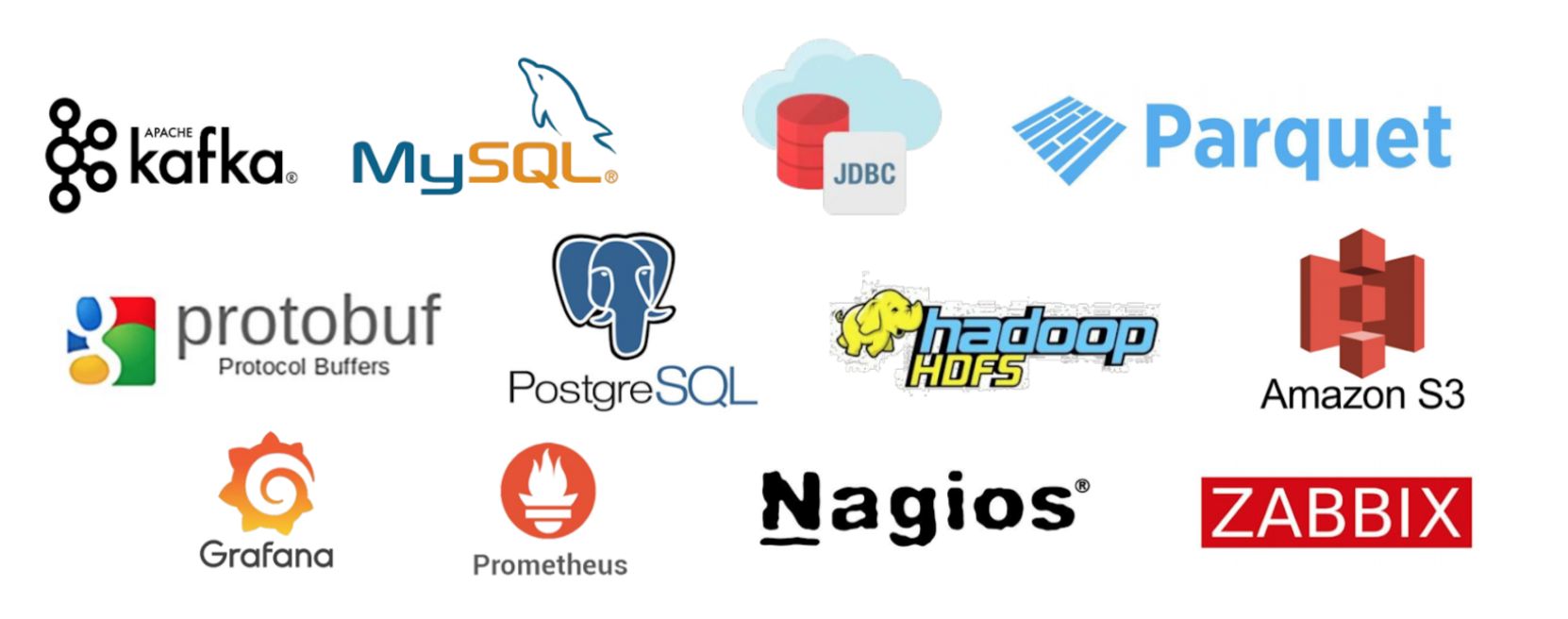
Refer to the Table Engines for Integrations document here: https://clickhouse.com/docs/en/engines/table-engines/integrations/
3. Partitioning
Each partition is stored separately in order to simplify manipulations of this data.
CREATE TABLE logs (
  date_index Date,
  user_id String,
  log_level String,
  log_message String
) ENGINE = MergeTree()
PARTITION BY toYYYYMM(date_index)  <--
ORDER BY user_id;
PARTITION BY (toMonday(date_index), log_level)
Each partition can be detached, attached or dropped instantly.
ALTER TABLE logs DETACH PARTITION 202101;
ALTER TABLE logs ATTACH PARTITION 202101;
ALTER TABLE logs DROP PARTITION 202101;
4. TTL
This is my favorite feature of ClickHouse. You can use TTL to automatically delete rows based on a conditions.
CREATE TABLE logs (
  date_index Date,
  user_id String,
  log_level String,
  log_message String
) ENGINE = MergeTree()
PARTITION BY toYYYYMM(date_index)
ORDER BY date_index
TTL date_index + INTERVAL 6 MONTH; -- deletes data after 6 months
The TTL clause can be set for the whole table and for each individual column.
TTL expr
    [DELETE|RECOMPRESS codec_name1|TO DISK 'xxx'|TO VOLUME 'xxx'][, DELETE|RECOMPRESS codec_name2|TO DISK 'aaa'|TO VOLUME 'bbb'] ...
    [WHERE conditions]
    [GROUP BY key_expr [SET v1 = aggr_func(v1) [, v2 = aggr_func(v2) ...]] ]
Type of TTL rule may follow each TTL expression. It affects an action which is to be done once the expression is satisfied (reaches current time):
DELETE- delete expired rows (default action);RECOMPRESScodec_name - recompress data part with the codec_name;TO DISK 'aaa'- move part to the disk aaa;TO VOLUME 'bbb'- move part to the disk bbb;GROUP BY- aggregate expired rows.
Some cases that you can do with TTL:
- Moving old data to S3 after 6 months.
- Using better compression for old data after 6 months.
- Using better compression and move old data to HDD disk after 6 months.
- etc
4. Materialized Views
Materialized Views can automatically aggregates data on inserts.
A materialized view is implemented as follows: when inserting data to the table specified in SELECT,
part of the inserted data is converted by this SELECT query, and the result is inserted in the view.
5. REST Capabilities
The HTTP interface on the port 8123 by default lets you use ClickHouse on any platform from any programming language.
$ curl 'http://localhost:8123/'
Ok.
Web UI can be accessed here: http://localhost:8123/play.

Refer to the HTTP Interface document for more example about using HTTP via curl.
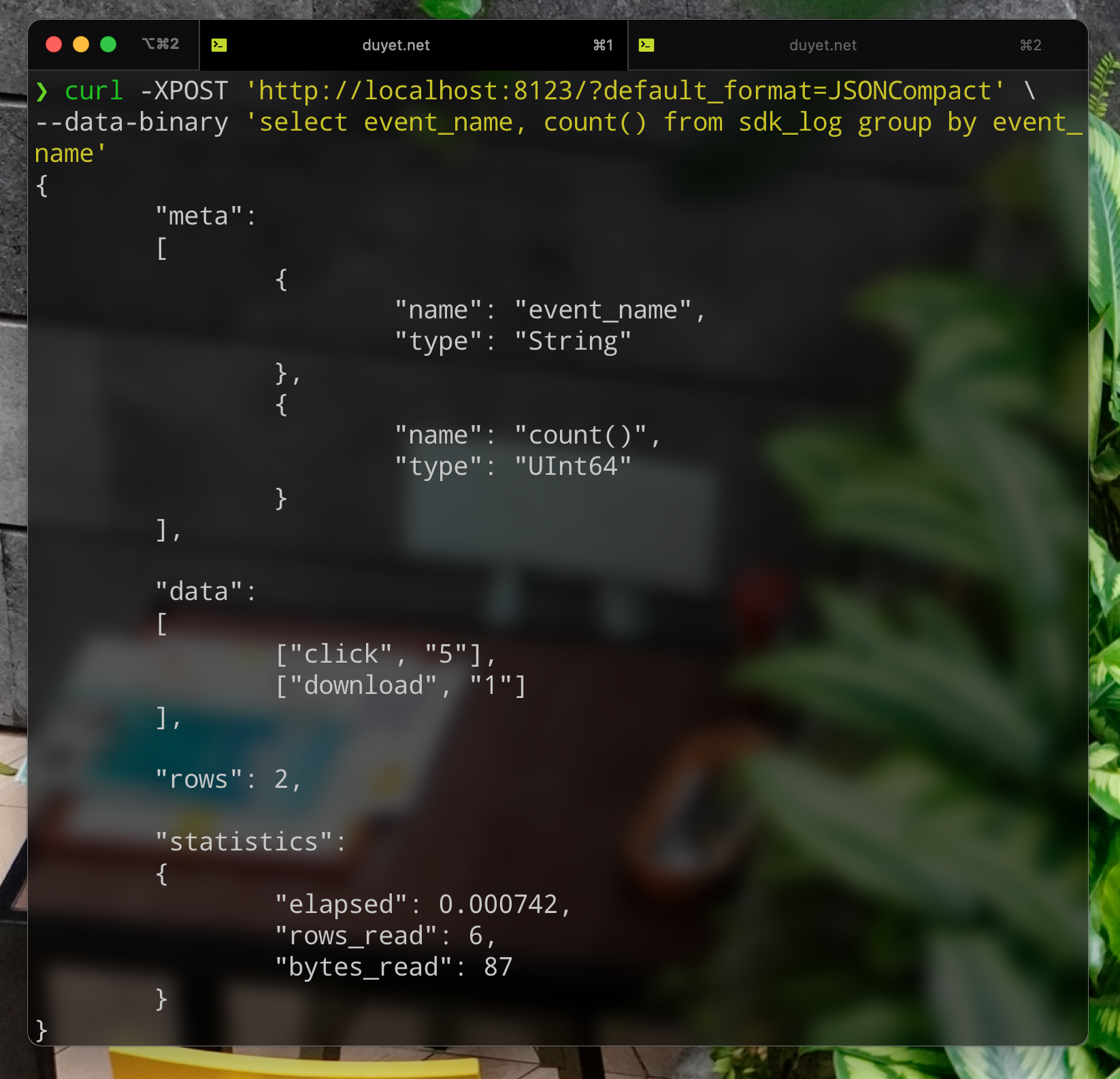
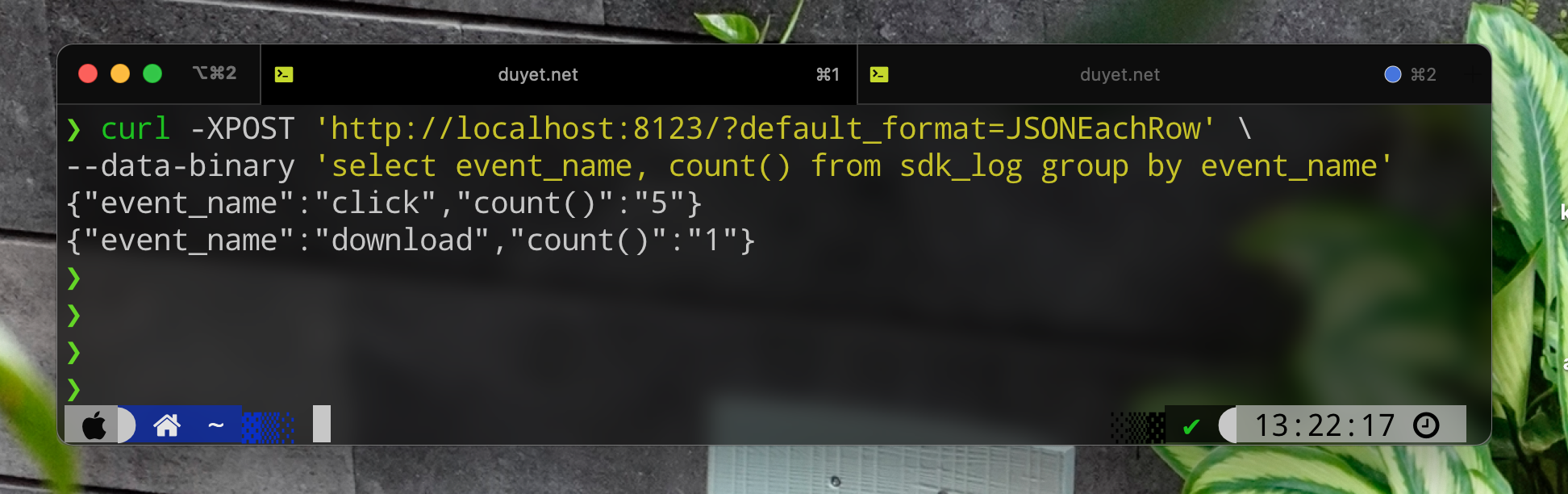
The HTTP interface is more limited than the native interface, but it has better compatibility. You can quickly build an UI dashboard for data visualization or expose an API for other teams.
6. Better SQL
FORMATClauses: ClickHouse can accept and return data in various formats.
SELECT EventDate, count() AS c
FROM test.hits
GROUP BY EventDate WITH TOTALS
ORDER BY EventDate
FORMAT TabSeparated
2014-03-17      1406958
2014-03-18      1383658
2014-03-19      1405797
2014-03-20      1353623
2014-03-21      1245779
2014-03-22      1031592
2014-03-23      1046491

1970-01-01      8873898

2014-03-17      1031592
2014-03-23      1406958
See the supported formats here: https://clickhouse.com/docs/en/interfaces/formats/

-
Great Functions:
topK,uniq,arrayJoin,countIf,sumIf, ... -
SELECT arrayMap(x -> (x * 2), [1, 2, 3]); -- [2, 3, 6] SELECT arrayFilter(x -> x LIKE '%net%', ['google.com', 'duyet.net']); -- ['duyet.net'] -
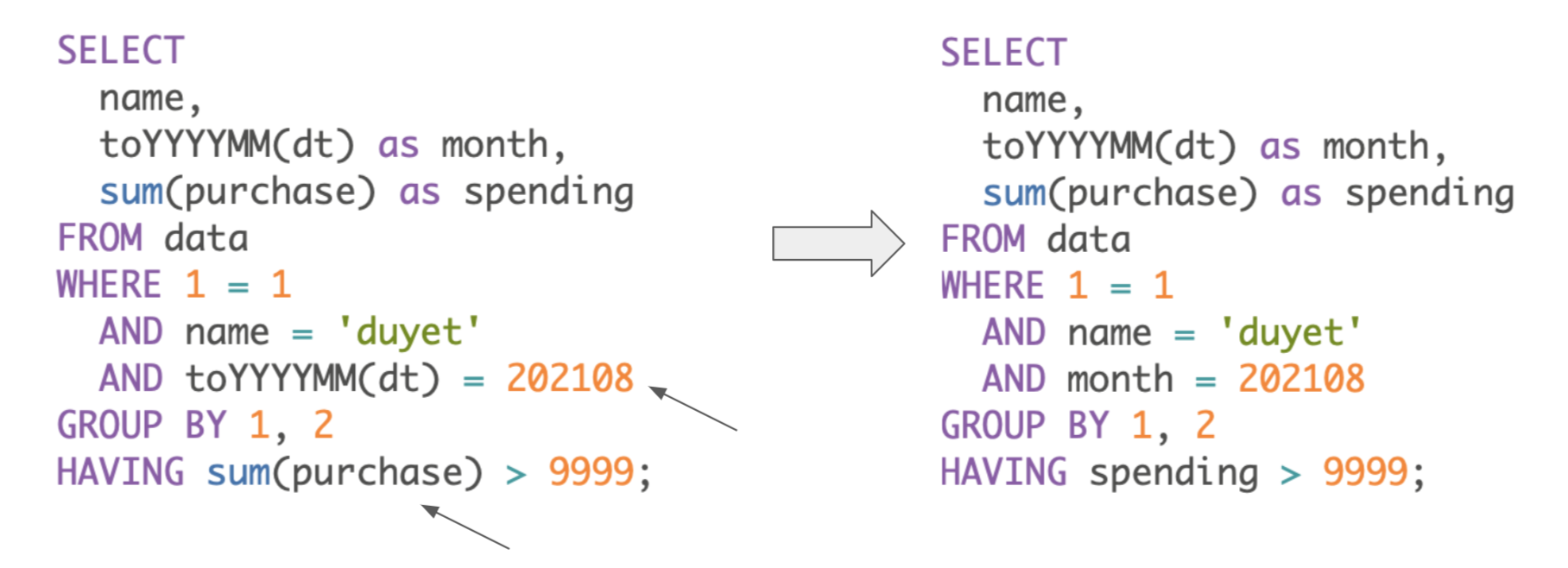
Resolving expression names
References
Related Posts
Why ClickHouse Should Be the Go-To Choice for Your Next Data Platform?
Recently, I was working on building a new Logs dashboard at Fossil to serve our internal team for log retrieval, and I found ClickHouse to be a very interesting and fast engine for this purpose. In this post, I'll share my experience with using ClickHouse as the foundation of a light-weight data platform and how it compares to another popular choice, Athena. We'll also explore how ClickHouse can be integrated with other tools such as Kafka to create a robust and efficient data pipeline.
Postgres Full Text Search
Postgres has built-in functions to handle Full Text Search queries. This is like a "search engine" within Postgres.
ClickHouse Rust UDFs
In Data Platform System with ClickHouse, rather than extracting data from ClickHouse for processing in external systems, we can perform transformations directly within ClickHouse itself. ClickHouse can call any external executable program or script to process data. My idea is using custom **User-Defined Functions (UDFs) written in Rust** to handle data transformations between tables.
ReplicatedReplacingMergeTree
Learn how to set up and manage ReplicatedReplacingMergeTree in ClickHouse on Kubernetes. This comprehensive guide covers cluster setup with ClickHouse Operator, data replication, performance tuning, and best practices for high availability deployments.