From Docker to Podman on MacOS
Note: This post is over 5 years old. The information may be outdated.
I'm looking for some alternatives for Docker. Currently, there are a few of container technologies which are Docker's most direct competitors, such as rkt, Podman, containerd, ...
I found that Podman just release the v3.3.0
that supporting for non-Linux machines, checkpoint/restore, and more.
It's performing much the same role as the Docker engine.
The Podman CLI is the same as Docker CLI. You can simply alias the Docker CLI, alias docker=podman.
Docker follows the client/server model, using a daemon to manage all containers under its control. However, Podman, like rkt and LXC, functions without a central daemon.
I'm not attempting to convince you to use or not to use Podman, especially since Docker has recently announced that Docker Desktop will soon require a paid subscription for Team or Business. This is just a note if you want to try it on your Mac.
Install the Podman on Mac
- Simple by using Homebrew:
brew install podman
- Initial the Machine for Podman to run from:
podman machine init
- Start the Machine
podman machine start
- (Optional) Make the alias as I mention before
alias docker=podman
- Some configuration to make it work as the same with Docker engine. Although Docker and Podman CLI commands are similar, but there are a few issues behind the scenes might hit.
podman machine ssh
sudo sed -i 's/short-name-mode="enforcing"/short-name-mode="permissive"/g' /etc/containers/registries.conf
The short-name-mode refers to container images that don't have a full domain name prefixed (e.g. FROM python:3, FROM ubuntu:16),
which will raise an error on Podman. When using Docker, these images are first prefixed with docker.io before being pulled.
With the short-name-mode=permissive config, Podman will try all unqualified-search registries in the given order.
Update the unqualified-search-registries for your trusted registries:
echo 'unqualified-search-registries = ["docker.io", "quay.io"]' >> /etc/containers/registries.conf
Rock in
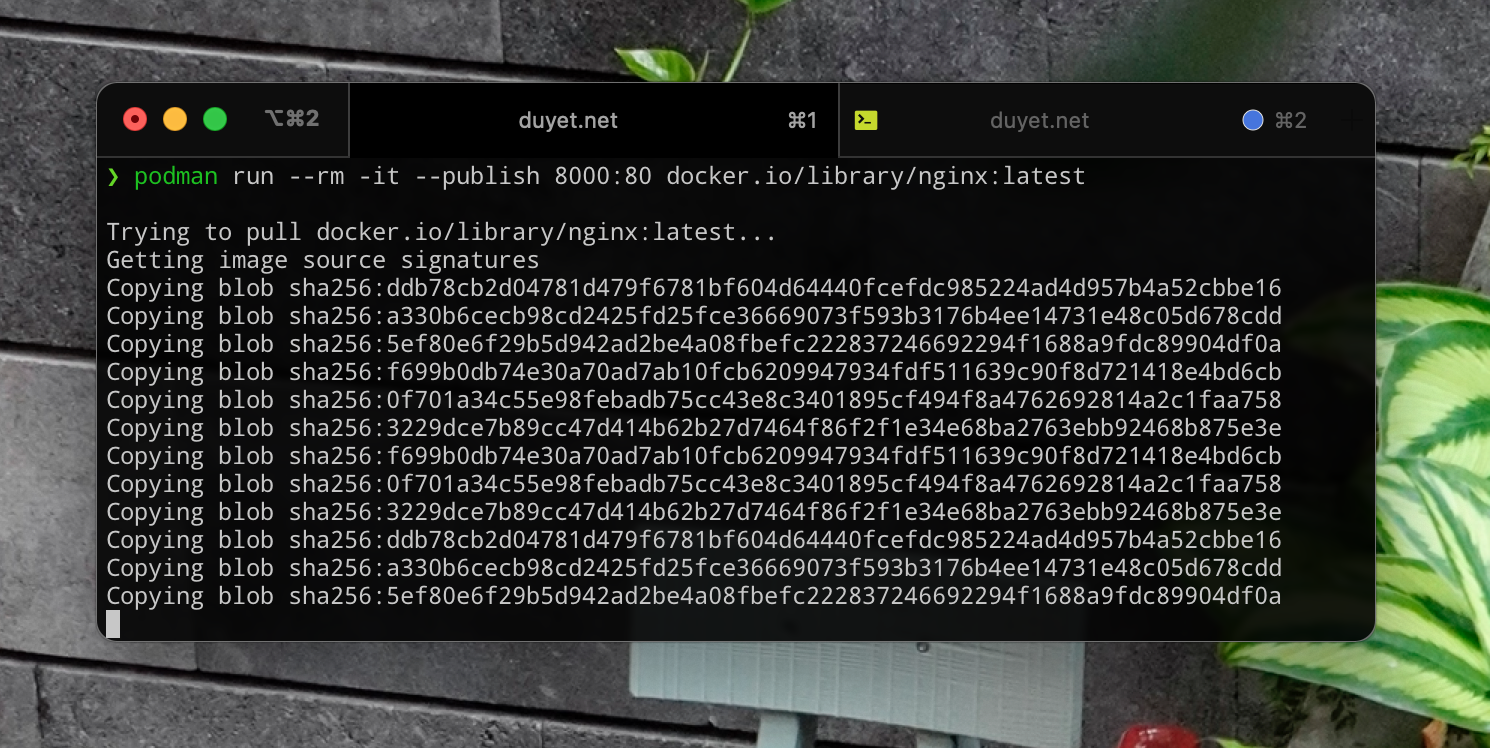
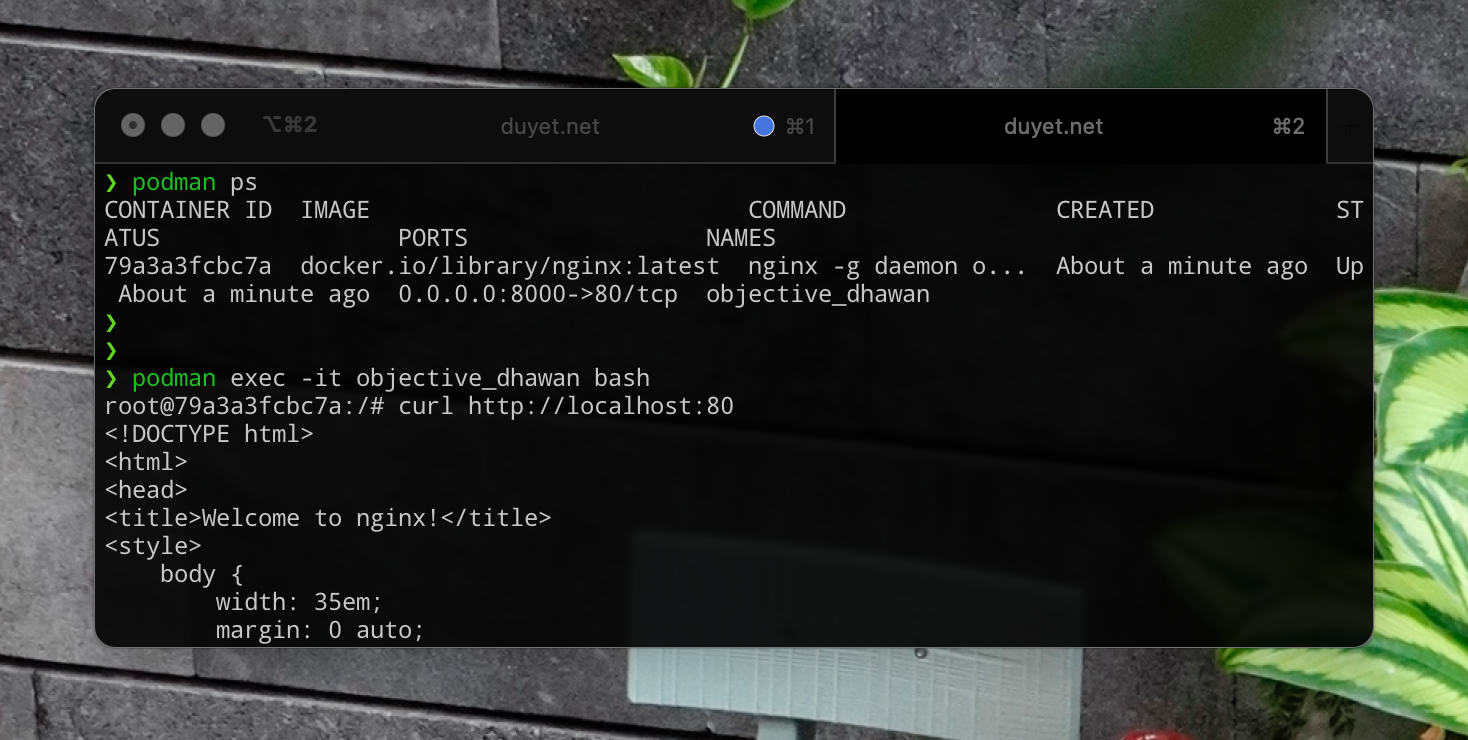
Run the nginx image and try to connect to the port 8000 on the host machine:
podman run --rm -it --publish 8000:80 docker.io/library/nginx:latest
curl http://localhost:8000
You can use Podman to run rootless containers, compatible with the Docker CLI, and it is a powerful container image for running OCI containers. And I believe it has not worked perfectly out of the box, Podman still has a few bugs compared with Docker, but why don't you give it a try to experiment on it.
Anw, you might can try Podman quickly by go to this url by Katacode, which offers an interactive environment directly in your browser.
References
Related Posts
Uptime with GitHub Actions
Hey, I just found this tool, so incredibly clever that it uses Github Actions for uptime monitor and status page.
zx
A tool for writing better scripts. I usually choose to write a Python or Deno script instead of a shell script for more convenience. I found this tool is so great, helping to write the script quickly.
Bitbucket Pipelines Notes
Bitbucket Pipelines document is fragmented everywhere. It always makes me search for a while every time I write a new one for CI/CD. So I'll make a few notes here.
Rancher - Quản lý Docker Container bằng UI
Rancher giúp quản lý Docker bằng UI Web một cách tiện dụng, mọi thao tác đều trên UI. Rancher còn tích hợp Shell trên Docker, App catalog, ...