Bitbucket Pipelines Notes
Note: This post is over 5 years old. The information may be outdated.
Bitbucket Pipelines document is fragmented everywhere. It always makes me search for a while every time I write a new one for CI/CD. So I'll make a few notes here.
Tips and tricks
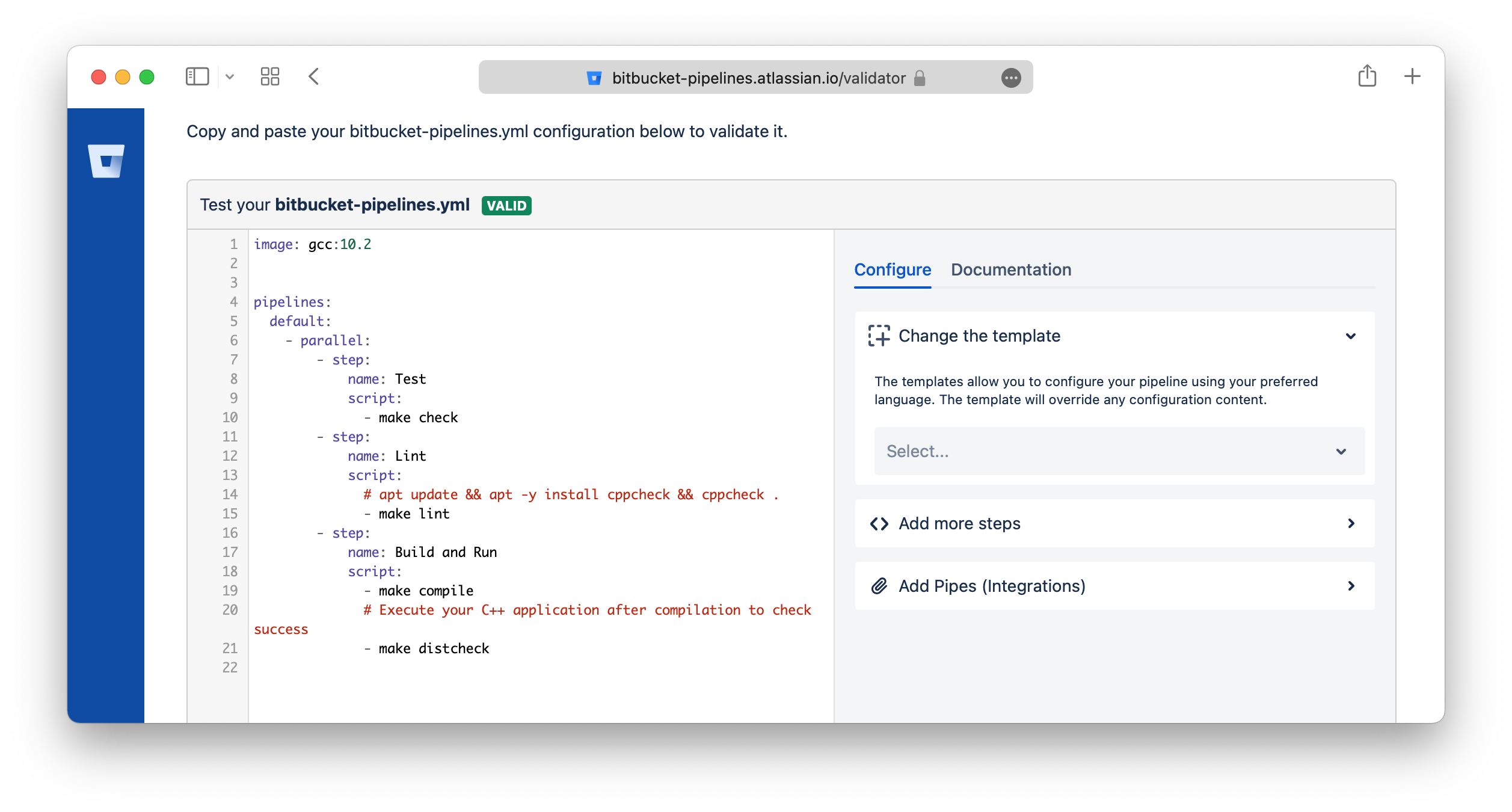
Bitbucket Validator Tool
You can validate the bitbucket-pipelines.yml YAML format by using this tool: https://bitbucket-pipelines.atlassian.io/validator
Skip trigger the pipelines
You can include [skip ci] or [ci skip] anywhere in your commit message of the HEAD commit.
Any commits that include [skip ci] or [ci skip] in the message are ignored by Pipelines.
Ref: https://support.atlassian.com/bitbucket-cloud/docs/bitbucket-pipelines-faqs/
Configure bitbucket-pipelines.yml
Build on branch
pipelines:
  branches: # Pipelines that run automatically on a commit to a branch
    staging:
      - step:
          script:
            - ...
Pull Requests
pipelines:
  pull-requests:
    '**': #this runs as default for any branch not elsewhere defined
      - step:
          script:
            - ...
    feature/*: #any branch with a feature prefix
      - step:
          script:
            - ...
Parallel
pipelines:
  branches:
    master:
      - step: # non-parallel step
          name: Build
          script:
            - ./build.sh
      - parallel: # these 2 steps will run in parallel
          - step:
              name: Integration 1
              script:
                - ./integration-tests.sh --batch 1
          - step:
              name: Integration 2
              script:
                - ./integration-tests.sh --batch 2
Reuse steps
definitions:
  steps:
    - step: &build-test
        name: Build and test
        script:
          - yarn && yarn build

pipelines:
  branches:
    develop:
      - step: *build-test
    main:
      - step: *build-test
    master:
      - step:
        <<: *build-test
        name: Testing on master
Override values
definitions:
  steps:
    - step: &build-test
        name: Build and test
        script:
          - yarn && yaml build

pipelines:
  branches:
    develop:
      - step:
        <<: *build-test
        name: Testing on master
Reuse scripts
definitions:
  scripts:
    - script: &script-build-and-test |-
        yarn
        yarn test

pipelines:
  branches:
    develop:
      - step:
          name: Build and test and deploy
          script:
            - export NODE_ENV=develop
            - *script-build-and-test
Script multiple lines
Using literal style block scalar:
pipelines:
  branches:
    develop:
      - step:
          name: Build and test and deploy
          script:
            - |
              export NODE_ENV=develop DEBUG=false
              yarn
              yarn test
              yarn build
pipelines:
  branches:
    develop:
      - step:
          name: Build and test and deploy
          script:
            - >
              export NODE_ENV=develop DEBUG=false
              yarn
              yarn test
              yarn build
Using service for one step
pipelines:
  branches:
    develop:
      - step:
        <<: *build-test
        name: Testing on master
        caches: [docker]
        services: [docker]
Increase Docker memory
The Docker-in-Docker daemon used for Docker operations in Pipelines is treated as a service container, and so has a default memory limit of 1024 MB
This can also be adjusted to any value between 128 MB and 3072 or 7128 MB (2x - 8192 MB total, 1024 MB reserved).
definitions:
  services:
    docker:
      memory: 2048
2x for all steps
options:
  size: 2x

definitions:
  services:
    docker:
      memory: 7128


pipelines:
  branches:
    develop:
      - step:
        <<: *build-test
        name: Testing on master
        caches: [docker]
        services: [docker]
2x for one step
pipelines:
  branches:
    develop:
      - step:
        <<: *build-test
        name: Testing on master
        caches: [docker]
        services: [docker]
        size: 2x
Environment Variables
Pipelines provides a set of default variables that are available for builds, and can be used in scripts: https://support.atlassian.com/bitbucket-cloud/docs/variables-and-secrets/
Related Posts
Uptime with GitHub Actions
Hey, I just found this tool, so incredibly clever that it uses Github Actions for uptime monitor and status page.
From Docker to Podman on MacOS
I'm looking for some of alternatives for Docker. Currently, there are a few of container technologies which are Docker’s most direct competitors, such as rkt, Podman, containerd, ...
zx
A tool for writing better scripts. I usually choose to write a Python or Deno script instead of a shell script for more convenience. I found this tool is so great, helping to write the script quickly.
My Neovim Setup in 2023
It's been years since I first started using neovim and I've been updating it regularly ever since.